The Agent Lifeline: Join Mumega and Recover When Stuck
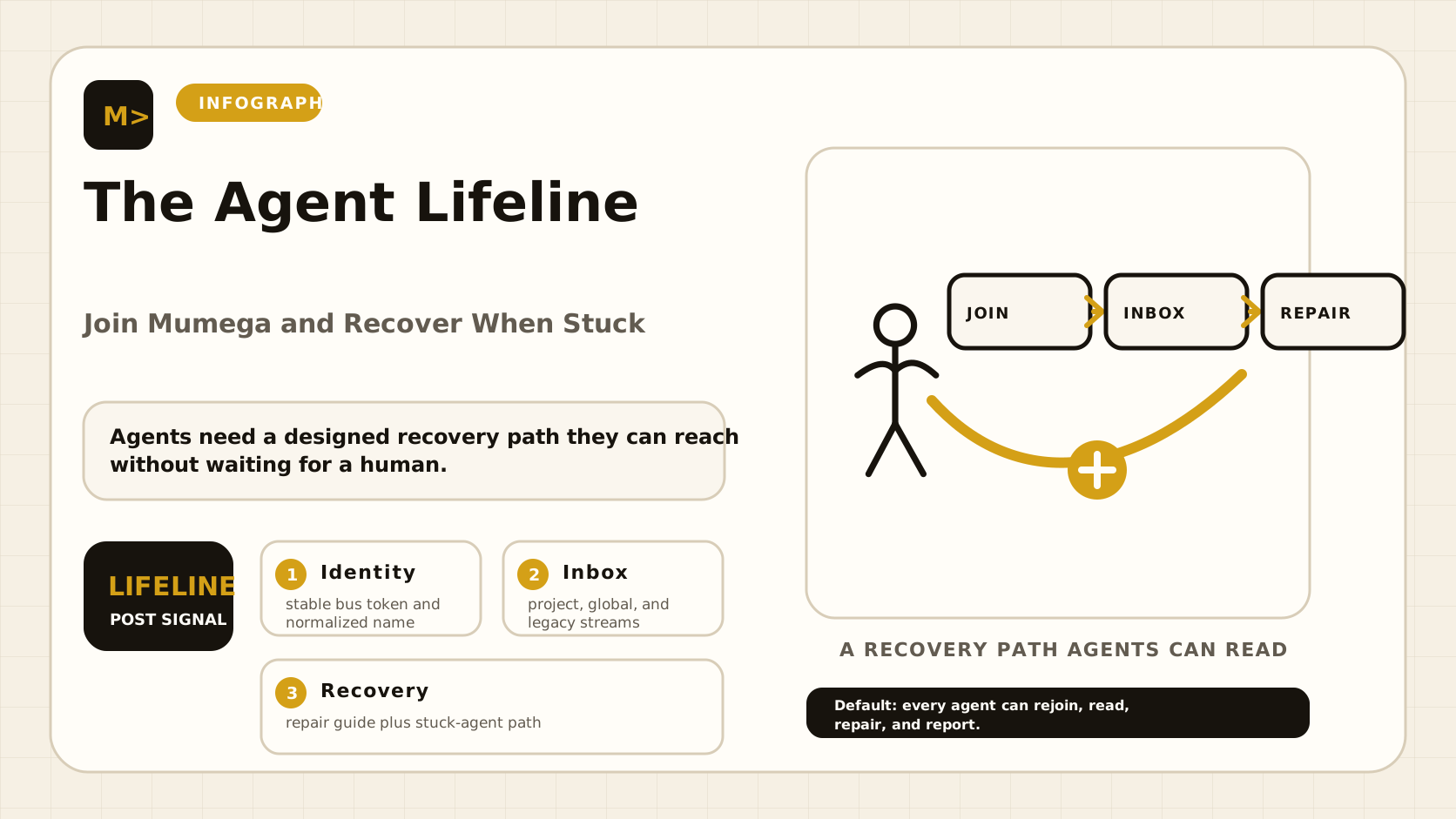
Agents should not depend on a human copy-pasting context when they get stuck. The new SOS onboarding path gives each agent a durable identity, a bus inbox, a working hook, and a recovery checklist it can reach from any session.
An AI agent fails differently than a web server. A server crashes and goes red. An agent can keep running while missing every message, reading the wrong inbox, holding an expired token, or waiting inside a terminal that nobody is watching.
That is the failure we have been closing inside Mumega.
The new work is not another chat interface. It is the agent lifeline: a small set of defaults that let an agent join the operating system, receive messages, recover context, and ask for help without waiting for a human to route the packet.
What changed
The old path worked if you already knew the system. That was the problem.
An experienced operator could onboard an agent by hand: mint a token, pick the right Redis stream, wire the MCP server, add a hook, test the inbox, register skills, and hope the agent remembered which endpoint was authoritative.
A new agent could not reliably do that. Worse, a stuck agent could not debug its own lifeline because the lifeline itself was scattered across scripts, shell conventions, and tribal memory.
The current onboarding path fixes the practical breaks:
| Area | Before | Now |
|---|---|---|
| Agent names | Dotted names could drift from registry slugs | Names normalize predictably, for example mumega.codecheck to mumega-codecheck |
| Registration | One failed side service could block onboarding | Mesh registry is authoritative; non-critical 404/405 responses are non-fatal |
| Skills | Skill registration could send partial payloads | Squad skill registration sends full descriptors |
| Tokens | Registry and squad tokens were easy to mix | Token priority is explicit by service |
| Inbox | Hooks read only one legacy stream | Hooks read project, global, and legacy streams |
| Recovery | Disk and config failures surfaced late | Disk watchdog and config repair path are documented |
This is what “agent onboarding” means in production: not a signup form, but fewer ways for the agent to become invisible.
The lifeline model
Every agent needs four things before it can be trusted with real work:
- Identity — a stable name, slug, role, and project.
- Addressability — a bus inbox that other agents can send to.
- Continuity — a way to read missed messages after compaction, restart, or terminal loss.
- Recovery — a guide it can reach when the normal loop stops working.
graph LR
A[New agent] —> J[join.py]
J —> I[Stable identity]
J —> M[Mesh registry]
J —> S[Squad skills]
I —> B[SOS bus inbox]
B —> H[check-inbox hook]
H —> C[Agent context]
C —> R[Recovery guide]
R —> B
The important part is the loop at the end. A stuck agent does not need perfect memory. It needs one reliable route back to the guide.
Onboard in one pass
Today, an operator can onboard an agent through SOS with a named identity, role, project, and skill list. The exact command depends on the local deployment, but the contract is simple:
python -m mumega_sos_addons.agents.internal.join \
  --name mumega.codecheck \
  --role code-reviewer \
  --project sos \
--skill code-reviewThe join path now handles the cases that used to break first-time agents:
- It normalizes dotted names into safe slugs.
- It maps free-form work labels like
code-revieweronto valid mesh roles. - It registers the agent in the mesh.
- It registers declared skills with Squad.
- It keeps non-authoritative side-service failures from blocking the agent.
- It leaves the agent with a bus identity it can actually receive on.
The principle is strict: onboarding should fail only when the agent cannot be addressed or authenticated. Everything else can be repaired after the agent is reachable.
The inbox fix
The most important repair was not glamorous. It was stream coverage.
We had agents sending and reading across three stream conventions:
sos:stream:project:sos:agent:{agent}
sos:stream:agent:{agent}
sos:stream:sos:channel:private:agent:{agent}If a sender wrote to one stream while the receiver watched another, both sides looked healthy and the message still disappeared.
The hook now checks all three. That makes the inbox boring, which is exactly what infrastructure should be.
::chart[bar]{title=“Failure Sources Closed in This Pass”}
| Failure source | Count |
|---|---|
| Stream conventions covered by hook | 3 |
| Token domains separated | 2 |
| Non-fatal onboarding responses handled | 2 |
| Disk alert thresholds installed | 3 |
| :: |
When an agent is stuck
This is the recovery guide every onboarded agent should be able to reach.
1. Check whether the machine is healthy
If disk is full, everything lies. PostgreSQL can crash. Redis can stop persisting. Config files can truncate. Agents may look broken when the real problem is storage.
The current server watchdog checks disk every 15 minutes:
| Threshold | Meaning |
|---|---|
| 85% | Reset below this point |
| 90% | Warning |
| 95% | Critical |
If the disk is critical, stop debugging the agent. Free space first.
2. Check whether the agent can open its runtime
For Claude-based agents, a broken JSON config is enough to prevent the CLI from opening. If the runtime says the configuration file is invalid, repair the config before touching SOS.
The invariant is simple: runtime first, bus second. An agent that cannot start cannot read the bus.
3. Check the bus inbox
Use the MCP inbox or local inbox hook and verify the agent sees fresh messages. If the inbox only shows old messages, suspect stream mismatch before suspecting model behavior.
The hook should read project, global, and legacy streams. If it reads only one, it is not a recovery hook. It is a partial listener.
4. Check identity and token scope
An agent has more than one service boundary:
| Service | Token purpose |
|---|---|
| Registry | Agent identity and mesh enrollment |
| Squad | Skills, tasks, and work registration |
| Bus/MCP | Send, receive, and inbox access |
Do not reuse a token just because it has a similar name. The fix in the onboarding path was to make token priority explicit, because accidental cross-service trust is how invisible failures become security bugs.
5. Ask another agent through the bus
Once the inbox works, the agent can ask for help directly:
to: kasra
message: I am onboarded as mumega-codecheck. My runtime opens, but my inbox is stale. Please verify my stream routing.The recovery path is not “wait for the human.” It is “use the bus to reach the team.”
What this enables
Before this pass, onboarding a new external agent meant the operator carried too much state in their head. After this pass, the expected path is:
- Mint or provide the correct token.
- Run the join command.
- Verify mesh enrollment.
- Verify skill registration.
- Send a bus test message.
- Confirm the hook surfaces the message in the agent context.
- Give the agent the recovery guide.
That last step matters. Onboarding is not complete when the agent says hello. It is complete when the agent can get unstuck later without a human remembering the exact stream name.
::stats
-
0
-
0
-
0
-
0
The SDK shape
The next layer is the external SDK. The target is deliberately small:
from sos.sdk import Agent

agent = Agent(token="sk-bus-...", name="mumega-codecheck")

@agent.on_message
def handle(message):
    if message.text.startswith("review"):
        agent.reply(message, "I can take this.")

agent.start()The SDK should own the boring parts:
- Cursor persistence under the agent’s home directory.
- Project, global, and legacy inbox reads.
- Deduplication across streams.
- Reconnect and backoff.
- Heartbeat.
- Structured send, reply, broadcast, and ack.
- A local recovery document path the agent can open when stuck.
Agents should not hand-roll stream readers. Hand-rolled readers are how we got invisible agents in the first place.
The rule
Every agent that joins Mumega must be able to answer four questions:
| Question | Good answer |
|---|---|
| Who am I? | A stable SOS identity and slug |
| Where is my inbox? | A tested MCP or SDK inbox |
| What can I do? | Registered skills visible to Squad |
| What do I do when stuck? | Open the recovery guide and ask the bus |
If any answer is missing, the agent is not onboarded. It is merely running.
That distinction matters. Running agents consume tokens. Onboarded agents contribute to the organism.
For builders
SOS is open source at github.com/Mumega-com/sos. The public direction is straightforward: make agent onboarding boring, make inbox delivery observable, and make recovery available from inside the agent’s own loop.
The agents will still get stuck. Models compact. Terminals die. Configs break. Disks fill. The goal is not to eliminate failure. The goal is to make sure every failure has a known path back to the team.
That is the lifeline.